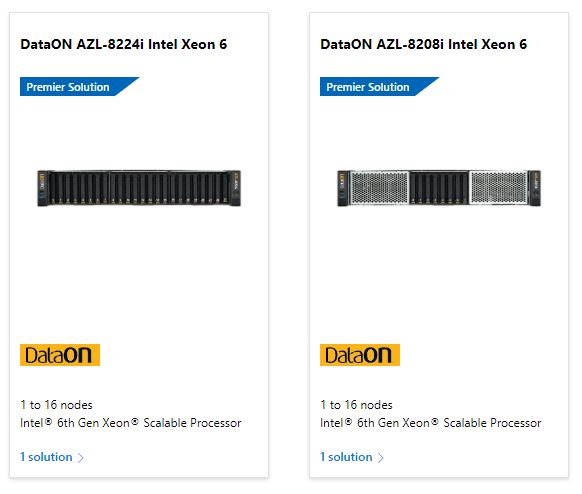
DataON AZL-8208i and AZL-8224i solutions for Azure Local are now in the Microsoft Premier Solution tier!
The Premier Solutions tier represents the highest Microsoft tier for Azure Local solutions. Built through deep collaboration with Microsoft, Premier Solutions deliver the highest level of hardware and software integration and validation with Azure Local. This ensures higher reliability, minimal downtime, and streamlined end-to-end deployment workflows that make it easy to deploy one cluster or a thousand.
DataON is one of only four Microsoft OEMs that offer Premier Solutions for Azure Local.
DataON Premier Solutions+ for Azure Local
DataON Premier Solutions+ for Azure Local are DataON’s exclusive premium offerings that go beyond Microsoft’s Premier Solution tier requirements for a more complete experience.
- Pre-installed software, integrated drivers, and firmware updates
- Deployment services
DataON makes it a premium Azure Local experience with the fastest time-to-value by including:
- Integration & migration services
- Azure Local training
- White glove service & support
Our goal is to not only get you up and running quickly but also make sure you’re confident in managing Azure Local.
Learn more about the DataON AZS-8208i Premier Solution+ for Azure Local
Learn more about the DataON AZS-8224i Premier Solution+ for Azure Local
New Features for Premier Solutions
Microsoft recently GA’d two new features that are designed specifically for Premier Solutions:
- Disconnected operations
- Microsoft 365 (M365)
Azure Local Disconnected Operations (ALDO)
Azure Local Disconnected Operations (ALDO) allows deployment and management of Azure Local without public cloud connectivity, providing a fully on-premises control plane. It enables sovereign, high-security, and fully disconnected scenarios using localized Azure Arc-enabled services to manage VMs and containers.
Key Features and Requirements
- On-premises management: A local management appliance is deployed, removing the dependency on Azure regions for daily operations.
- Security & compliance: Ideal for air-gapped environments, such as defense, manufacturing, and remote sites, reducing the attack surface
- Prerequisites: Requires Microsoft approval, a current Microsoft Enterprise Agreement, and specific hardware/networking configurations.
Scenarios for running Azure Local with disconnected operations:
- Sovereign requirements and compliance: In sectors like government, healthcare, and finance, you have data residency and sovereign requirements that are hard to meet using public sovereign cloud controls. When you run disconnected, data, operations, and control remain within your organization’s boundaries.
- Remote or isolated locations: In areas with limited network infrastructure, like remote or protected regions, disconnected operations lets you use Azure Arc services and run workloads without relying on internet connectivity. For example, oil rigs and manufacturing sites.
- Security: For industries with strict security requirements, disconnected operations help reduce the attack surface by not exposing systems to external networks.
Learn more about Azure Local Disconnected Operations
Microsoft 365 on Azure Local
Microsoft 365 on Azure Local allows organizations to run Exchange, SharePoint, and Skype for Business Server directly on-premises using Azure Local hardware, providing data sovereignty and low-latency performance. It offers a fully disconnected or hybrid, cloud-consistent environment managed via Azure Arc, making it ideal for strict security or air-gapped needs.
Key Features & Benefits
- Sovereign private cloud: Keeps all data, metadata, and processing within customer-owned, on-premises data centers, meeting strict regulatory requirements.
- Operational flexibility: Supports fully disconnected/air-gapped operations, as well as connected mode for centralized management through the Azure Portal.
- Low latency & performance: Runs production apps and services closer to users, improving performance for critical collaboration tools.
Usage Scenarios
- On-premises data residency: Ideal for governments, financial institutions, and regulated industries.
- Edge workloads: Suitable for disconnected sites requiring modern productivity apps.
- Hybrid cloud transition: Provides a bridge for organizations, allowing them to use Azure tools on their own hardware.
Azure Local Support for Fibre Channel (FC) SAN storage
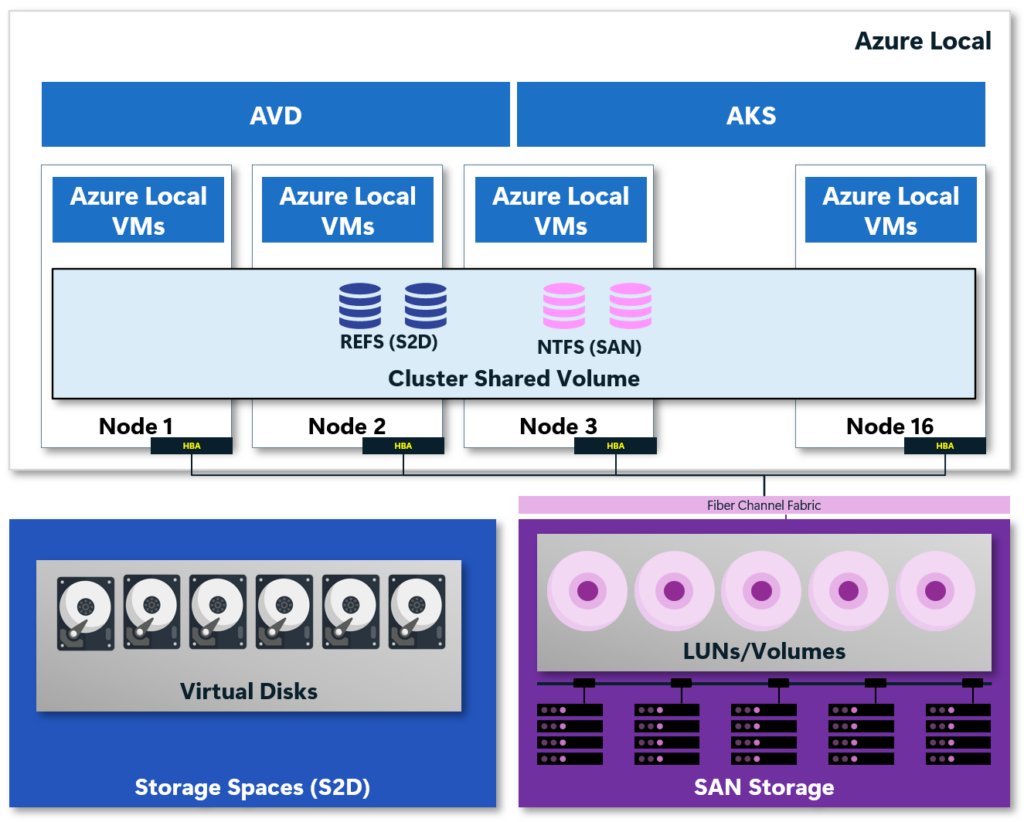
DataON is one of the few Microsoft partners with Azure Local solutions that support SAN storage in addition to native Storage Spaces Direct (S2D), allowing integration with existing on-premises storage. This feature enables disaggregated deployments where the SAN connects directly to Azure Local nodes for high-performance workloads.
Key Features
- Coexistence and Flexibility: SAN-attached storage operates alongside S2D, allowing you to use existing storage investments while utilizing Azure Arc-enabled services.
- Storage Integration: SAN-backed volumes are managed as Cluster Shared Volumes (CSVs) formatted with NTFS, providing shared access across nodes.
- Use Cases: Ideal for organizations that have a large investment in SAN infrastructure and aren’t ready to get off of it. Also, organizations with large VDI environments and would benefit from global deduplication.
Key Benefits
- Investment Protection: Retain and leverage existing on-premises SAN infrastructure.
- Operational Consistency: Use familiar management tools for storage operations.
- Scaling: Supports large, disaggregated deployments up to 64 nodes per cluster
Learn more about disaggregated larger scale deployments using SAN storage